
What happens when you offload an app?
When you’re low on storage space, your phone might suggest you “offload” an app instead of deleting it. What does that actually mean? Is it the same as uninstalling? And why would you ever choose it over just removing the app entirely?
Offloading is a middle ground between keeping an app and deleting it. In many situations, it’s the smarter choice.
Read more
Which browser should you actually use? Chrome, Firefox, Safari, and Edge compared
Choosing a web browser used to be a simple decision based on which icon you liked best or which one came pre-installed on your computer. Today, the stakes are a bit higher. Your browser is your primary window to the digital world, handling everything from your banking to your social life. While they all technically “open websites,” the differences in how they handle your data, your battery life, and your productivity are significant.
In this guide, we’ll look past the marketing and dive into what actually separates Chrome, Firefox, Safari, and Edge in 2025.
Read moreHemingway App 3.0 update review: A gimmick becomes a real app

Hemingway App has been around for a while, first as a web app and then as a paid desktop app that had seen one major update in its two or so years of existence. We reviewed the original desktop app as well as the 2.0 update, concluding in the first case that it may not be worth the cost and that the update had too many compromises to go along with its price hike. How about the newest version? The price is still on the higher end of plain-text writing apps, but new features and improvements make it worth considering.
Read moreHow to view academic journal articles off campus using your library's proxy
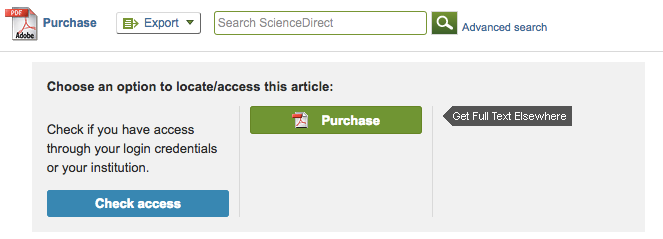
If you are a student or researcher, you are probably aware that much of the academic research out there is not free to access. However, if you’re affiliated with a university, you may also notice that you can access academic journals and similar content without any effort when you’re connected to your institution’s WiFi.
Suddenly, at home, the journal websites complain that you need to pay up to see the content. Chances are, though, that you can use your library’s proxy to see it.
Read moreContentverse review: Bring your document management into the 21st century the easy way

If you work in an office of any kind, you know finding a way to get ahold of the documents you need makes up a significant portion of the time and effort spent on the job. Paper-based files need to be printed, mailed, scanned, and printed again. You may try using digital folders, shuffling documents around from flash drive to flash drive, or over email. Maybe you have your stuff stored online. No matter what you’re using, nothing seems to quite cut it. You need a specialized program to cover all of your workplace’s growing demands.
Read more